






Display Technology & Engineering

Custom Display Development & Engineering Capabilities

A successful display solution depends on more than selecting the right LCD or touch panel. UNI DISPLAY brings the display, touch interface, electronics, optical design, mechanical design and reliability requirements together through an integrated custom display development approach.

From Display Technology to Product Integration.

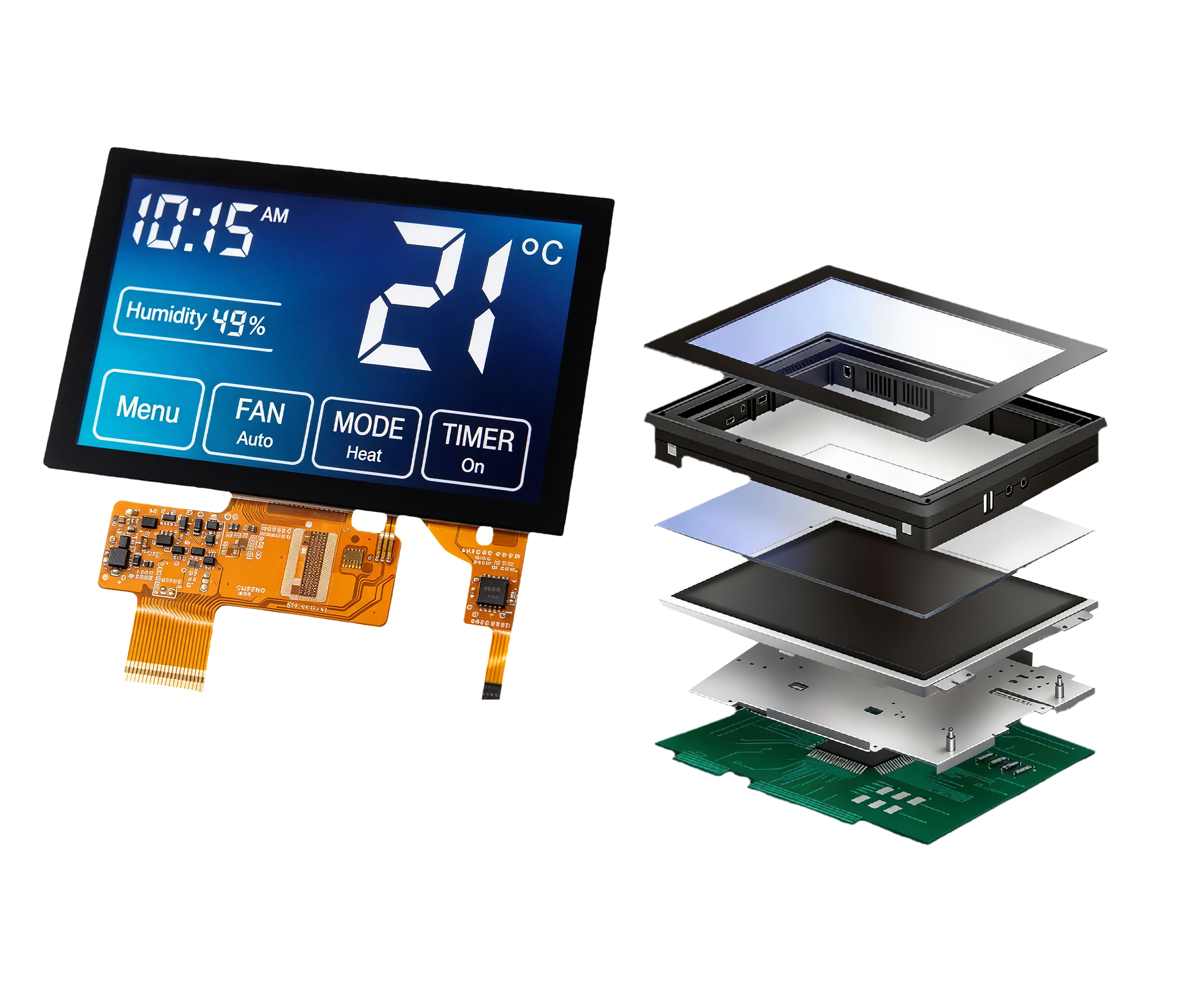
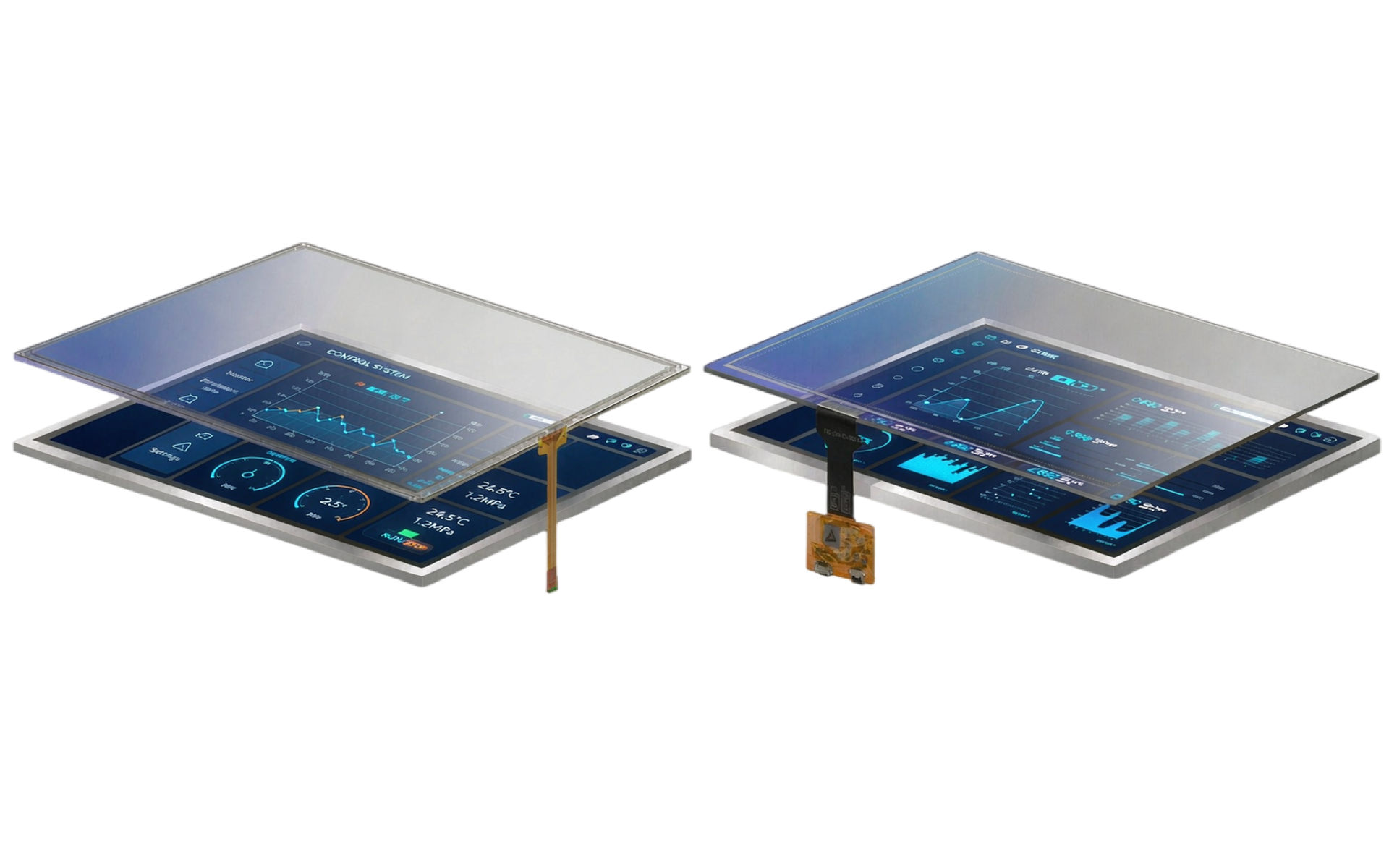
Custom display development example showing integrated TFT LCD module with touch panel and driver board

6

Integrated Technology Areas

-20°C ~ +70°C

Typical Industrial Display Operating Range

ISO

Certified Quality Management System

18+

Years of Display Engineering Experience

Engineering Approach

Engineering for the Complete Display System

A display project may still encounter integration challenges even when the LCD itself meets all required specifications.

A suitable display panel may still require adjustments to the controller board, touch system, optical stack, cables, housing, or software to ensure proper operation within the final product.

For this reason, UNI DISPLAY approaches display development as an integrated engineering system. Each engineering discipline supports a different aspect of the development process, while working together as part of an integrated system.

Technology AreaEngineering Focus
Product DevelopmentTurning application requirements into a defined display solution
Embedded DesignConnecting the display electronics to the customer’s host system
Touch & InputDeveloping the user input interface around the application
Optical EnhancementsManaging the display, touch, cover lens and bonding structure
Mechanical DesignIntegrating the display into the product
Reliability & ComplianceVerifying the design against environmental and project requirements

Technology Areas

Custom Display Development Across Six Technology Areas

Our engineering capabilities span six key areas, supporting customers not only with display components, but also with the engineering expertise required to integrate them into a complete product.

Product Development

Translating application requirements into a defined display architecture, from screen size and resolution to testing requirements and production volume.

Embedded Design

Display electronics designed for your host system, including controller boards, interface adaptation, PCB/PCBA and firmware support.

Touch & Input

Developing the input interface around the user, coordinating the touch panel, cover lens, bonding method and controller connection.

Optical Enhancements

Engineering the optical stack as an integrated structure, with air bonding and optical bonding options for the display, touch panel and cover lens.

Mechanical Design

Integrating the display into the product, from custom housings and mounting design to cable routing and protective surface structures.

Reliability & Compliance

Verifying the design against environmental and project requirements, including impact, dust and water, EMI, EMC and ESD evaluation.

Technology Area 01

Product Development

Custom display development begins well before the final display is selected. The first step is understanding how the display will be used inside the product — project requirements help define the appropriate display architecture and determine which elements can be based on existing components and which require customization.

Project definition inputs

  • End equipment or application
  • Required screen size
  • Resolution
  • Viewing requirements
  • Touch operation
  • Host controller
  • Communication requirements
  • Installation space
  • Product design
  • Operating environment
  • Testing requirements
  • Target market
  • Estimated production volume
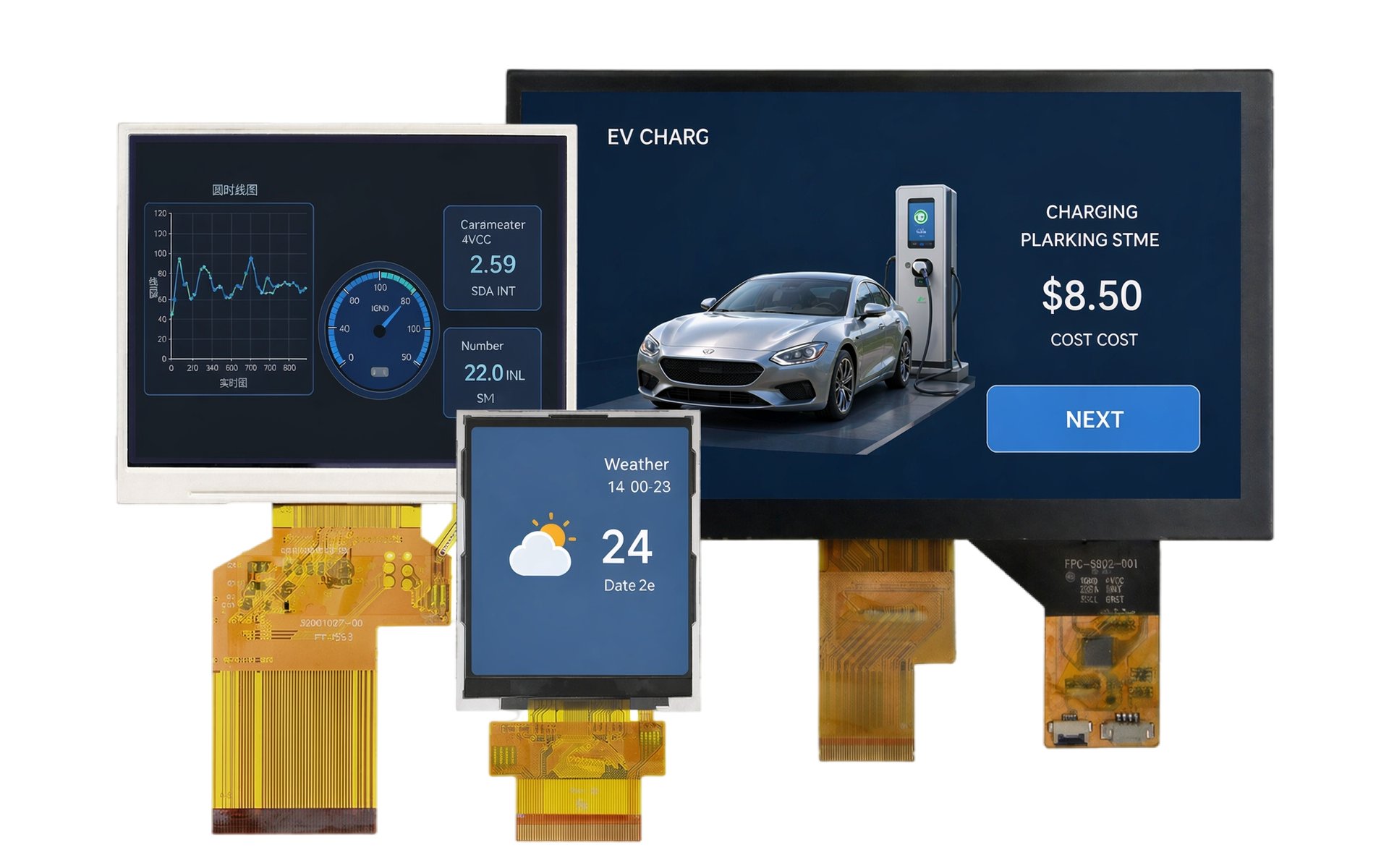
TFT LCD display modules evaluated during custom display development

Component selection as part of system design

The LCD, touch panel, controller board and mechanical design should not be evaluated independently — a decision in one area may affect multiple aspects of the overall system.

  • Display selection affects interface and controller requirements
  • Cover glass design affects touch integration and mechanical design
  • Controller board dimensions affect the internal product layout
  • Bonding affects the physical structure of the display stack
  • Cable and connector locations affect product assembly
  • Environmental requirements may affect mechanical and electronic design

Standard product or custom development?

When an existing TFT, touch panel or controller platform meets most application requirements, engineering work can focus on the specific areas that require modification:

  • Touch integration
  • Cover lens & bonding
  • Interface adaptation
  • Controller electronics
  • PCB / PCBA
  • Firmware
  • Mechanical design
  • Surface treatment

Prototyping and engineering evaluation

Before a configuration moves into production, prototypes can be used to evaluate how the display performs within the complete system:

  • Display functionality
  • Touch response
  • Interface compatibility
  • Controller board functionality
  • Mechanical fit
  • Cable arrangement
  • Host communication
  • Optical integration
  • Application-specific reliability

Technology Area 02

Embedded Design

An embedded display must communicate reliably with the electronics within the customer’s product. UNI DISPLAY supports embedded display system design by evaluating the integration between the display, controller electronics and host platform.

The objective is to adapt the display electronics to the customer’s system architecture rather than requiring the host system to be redesigned around the display.

Display electronics designed for your host system

  • Host controller evaluation
  • Display interface adaptation
  • Touch interface integration
  • Communication interface adaptation
  • Controller board configuration
  • System logic
  • Cables and connectors
  • Software and firmware adaptation
Display driver board and controller board electronics for embedded display design

Hardware development

  • Hardware architecture
  • Schematic design
  • PCB layout
  • Gerber file generation
  • PCBA assembly
  • Controller board development
  • Interface board development
  • Driver and scaler board integration

Interface adaptation

Display interfaces

  • LVDS
  • eDP
  • MIPI DSI
  • RGB

Communication interfaces

  • I²C
  • SPI
  • UART
  • USB
  • RS-232
  • RS-485
  • CAN

Software and firmware support

Supported embedded software platforms may include Qt, Android, embedded Linux (e.g., Yocto and Buildroot), Windows Embedded Compact and FreeRTOS. Depending on the project requirements, firmware development may also address secure boot, encrypted communication and over-the-air (OTA) updates.

Software platforms

  • Qt
  • Android
  • Embedded Linux
  • Yocto
  • Buildroot
  • Windows Embedded Compact
  • FreeRTOS

Firmware capabilities

  • Secure boot
  • Encrypted communication
  • OTA updates

Technology Area 03

Touch & Input

A touch interface is more than an additional layer placed over the LCD. Its performance depends on how users operate the equipment, how the front-panel structure is designed, and how the touch system communicates with the controller.

Developing the input interface around the user

  • Touch operation requirements
  • Touch panel design
  • Touch controller
  • Cover lens
  • Front-panel design
  • Bonding method
  • Controller connection
  • System compatibility
  • Software configuration
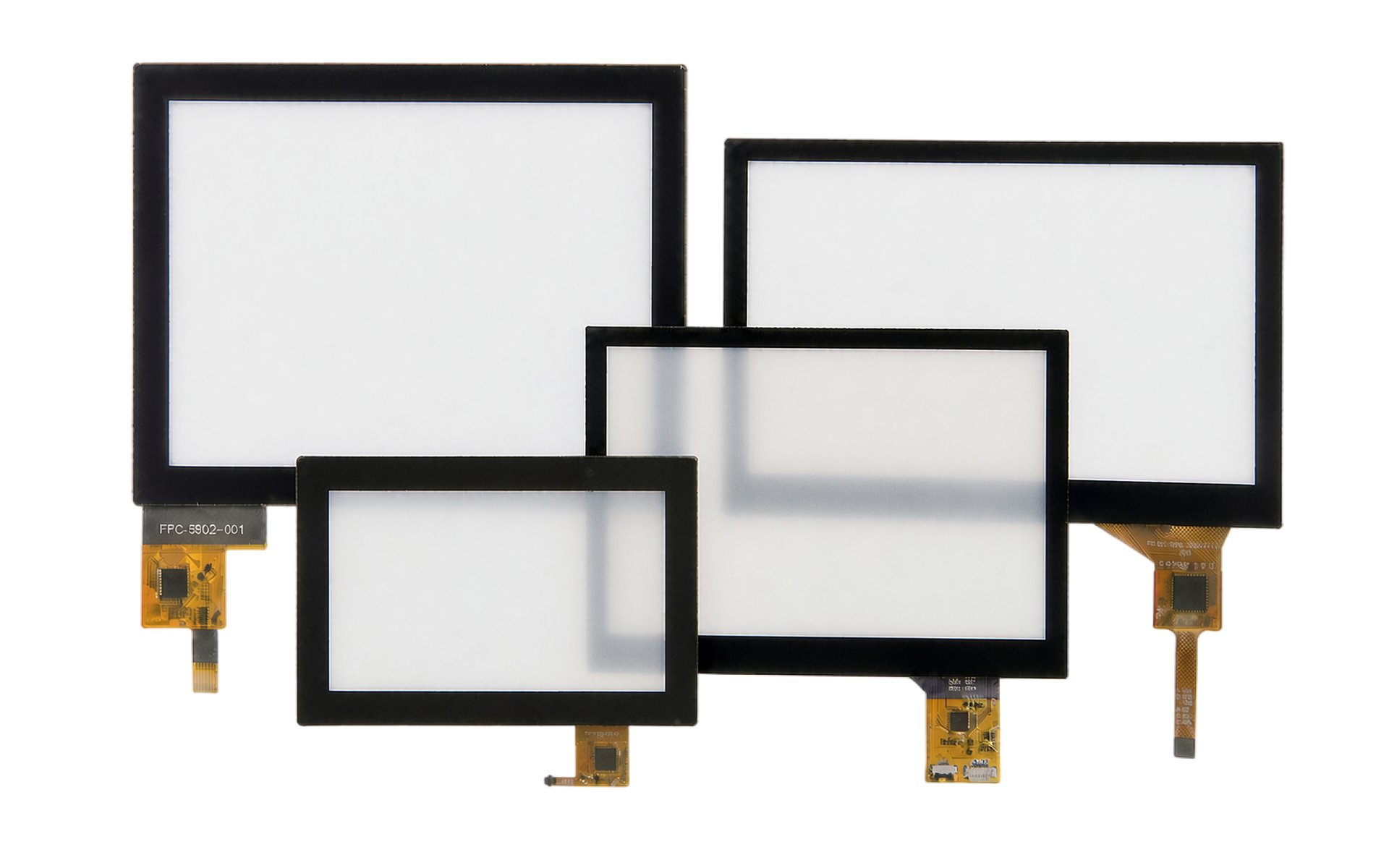
Custom touch panel integrated with TFT display and cover lens

Cover lens and front-surface design

The cover lens can be designed around the final product rather than treated as a standard accessory — the following aspects can all be defined per project:

  • Overall dimensions
  • Visible area
  • Touch area
  • Product appearance
  • Front-panel integration
  • Mechanical design
  • Surface treatment

Additional input integration

Some applications require physical controls in addition to the touch interface. When required, UNI DISPLAY can integrate physical controls, such as membrane keypads, into the mechanical design and user interface.

  • Buttons
  • Switches
  • Knobs
  • Membrane keypads

PCAP and resistive touch

PCAP touch

  • Multi-touch gestures
  • High optical transmittance
  • Configurable operation with gloves

Resistive touch

  • Stylus input
  • Gloved operation
  • Dusty or wet environments

Integrated Assembly

Touch, Display and Cover Lens Integration

The touch panel must work together with the TFT display and front cover lens design. These elements can be developed as an integrated assembly consisting of four layers.

1

Display Layer

Provides the visual information.

2

Touch Layer

Detects user input.

3

Cover Lens Layer

Forms the external operating surface and integrates with the product design.

4

Controller Layer

Connects touch input to the equipment electronics.

Technology Area 04

Optical Enhancements

Display performance is influenced by more than the LCD panel itself. The complete front optical stack may include the TFT display, adhesive or bonding layer, touch panel, cover lens and surface treatment — each layer affects the physical structure and optical performance of the finished display.

The front optical stack

  • TFT display
  • Adhesive or bonding layer
  • Touch panel
  • Cover lens
  • Surface treatment
Optical bonding display stack joining TFT display, touch panel and cover lens

Air bonding

Air bonding joins the display and touch assembly around the perimeter of the active area. The bonding method can be selected based on:

  • Product architecture
  • Display structure
  • Touch configuration
  • Mechanical requirements
  • Project requirements

Optical bonding

≈4% of incident light reflected by an untreated air-to-glass interface

Optical bonding fills the air gap between the display and the touch panel or cover glass with an optically clear adhesive (OCA) or optically clear resin (OCR), helping reduce internal reflections and improve optical performance.

  • Reduce internal reflections between layers
  • Improve perceived display clarity
  • Create a more integrated display stack
  • Improve mechanical support between bonded layers
  • Prevent dust and moisture ingress into the air gap

Optical bonding is widely used in the display industry as a system-level optical and mechanical enhancement rather than simply a cosmetic process.

Surface and front-panel requirements

Different operating environments may require different front-surface characteristics. The selection should consider the relationship between:

  • Viewing conditions
  • User interaction
  • Cover lens design
  • Touch performance
  • Product appearance
  • Operating environment

Technology Area 05

Mechanical Design

A technically suitable display must also fit mechanically within the customer’s equipment. UNI DISPLAY supports mechanical design for display integration within the complete product architecture.

  • Product outline
  • Custom mechanical structures
  • Display positioning
  • Custom housing
  • Mounting design
  • Controller board location
  • Connector position
  • Cable routing
  • Membrane keypad integration
  • Protective surface structures
  • Custom exterior design

Mechanical housings are typically made from ABS, PC, PC/ABS or aluminum alloys, while anti-fingerprint (AF), anti-glare (AG) and anti-reflective (AR) surface treatments can be selected based on the operating environment and user interaction requirements.

Custom product structures

Some equipment cannot accommodate a standard monitor or display module outline. UNI DISPLAY can support custom mechanical designs for special equipment layouts, limited installation spaces, custom housings and product shapes, integrated display assemblies and specialized OEM/ODM products. The development scope is defined based on the customer’s drawings and end-equipment requirements.

Display assembly and inspection workstation supporting mechanical design integration

Technology Area 06

Reliability & Compliance

Reliability requirements should be defined based on where and how the final product will operate. Different industries can have very different operating conditions:

  • Industrial equipment
  • Medical equipment
  • Transportation systems
  • Energy systems
  • Commercial terminals
Quality inspection laboratory supporting display reliability testing and validation

Industrial operating conditions

-20°C ~ +70°C typical extended operating temperature range for industrial displays

Industrial displays are often designed for continuous operation and long-term field deployment:

  • Continuous 24/7 operation
  • Resistance to vibration and shock
  • Long-term product availability

Reliability testing capabilities

  • Impact testing
  • Dust and water protection evaluation
  • EMI testing
  • EMC testing
  • ESD testing
  • Display functionality verification
  • Touch functionality verification
  • Mechanical design verification
  • Interface and system testing

EMI, EMC and ESD considerations

Controller boards, cables, communication interfaces and touch electronics can all influence system-level electromagnetic behavior:

  • Controller boards
  • Cables
  • Communication interfaces
  • Touch electronics

For this reason, EMI, EMC and ESD should be evaluated at the system level rather than treated as isolated display specifications.

Compliance planning

Compliance requirements vary by product category, intended application and target market. Project-specific requirements can be defined for:

  • Product standards
  • Target market requirements
  • Test conditions
  • Acceptance criteria
  • Documentation requirements

Validation standards

  • IEC 60068-2 series · Environmental testing
  • CISPR 32 (EN 55032) · EMC emissions
  • FCC Part 15 · EMC emissions
  • IEC 61000-4-2 · ESD testing
UNI DISPLAY operates under an ISO-certified quality management system, with standardized quality control processes throughout production.

Integrated Engineering

How the Six Technology Areas Work Together

A custom display project rarely depends on a single technical discipline. A single requirement can affect multiple engineering areas.

Customer RequirementTechnology Areas Involved
Display must work with an existing mainboardEmbedded Design + Product Development
Touch must integrate behind a custom front panelTouch & Input + Mechanical Design
Touch, cover lens and TFT need a bonded structureTouch & Input + Optical Enhancements
Controller board must fit limited internal spaceEmbedded Design + Mechanical Design
Custom housing and cable locations are requiredMechanical Design + Embedded Design
Product must meet defined EMC/ESD requirementsEmbedded Design + Reliability & Compliance
Existing display system needs redesignProduct Development + Embedded Design + Mechanical Design
New OEM product requires a complete display subsystemAll Six Technology Areas

This cross-disciplinary approach allows technical decisions to be evaluated in the context of the complete product system.

Applications

Engineering for Different Application Environments

UNI DISPLAY’s engineering capabilities support display development across industrial automation, medical equipment, transportation, EV charging, energy systems, smart buildings, retail terminals and more.

Engineering support also extends to telecommunications and networking equipment, smart home appliances and entertainment equipment.

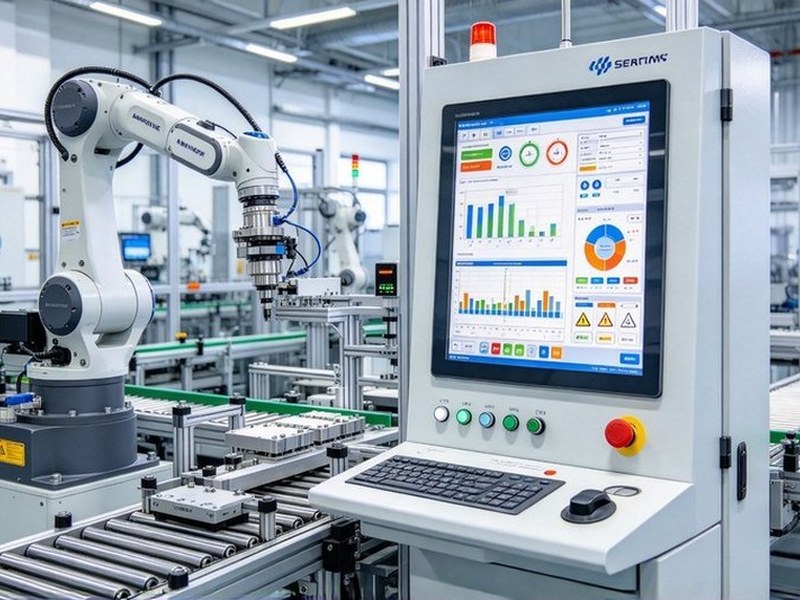
Industrial automation HMI display with robotic production line

Industrial Automation

Display and touch systems for industrial automation equipment, machine controls and HMI applications, tailored to the equipment design, host controller and operator interface requirements.

Explore Industrial Display Solutions
Industrial Automation

Display and touch systems for industrial automation equipment, machine controls and HMI applications, tailored to the equipment design, host controller and operator interface requirements.

Explore Industrial Display Solutions
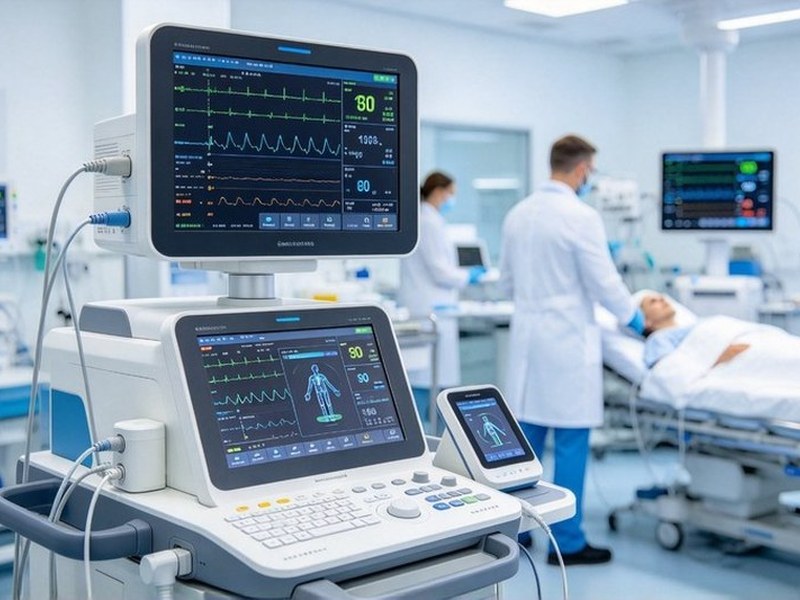
Medical display monitors and patient monitoring equipment

Medical Equipment

Display and touch development for medical equipment requiring visual information display, user control interfaces and system integration.

Explore Medical Display Solutions

Medical Equipment

Display and touch development for medical equipment requiring visual information display, user control interfaces and system integration.

Explore Medical Display Solutions
Transportation display and ticketing terminal interface

Transportation Systems

Display solutions for transportation systems and equipment, developed for specific installation, visual interface, touch interaction, control system and reliability requirements.

Explore Transportation Display Solutions
Transportation Systems

Display solutions for transportation systems and equipment, developed for specific installation, visual interface, touch interaction, control system and reliability requirements.

Explore Transportation Display Solutions
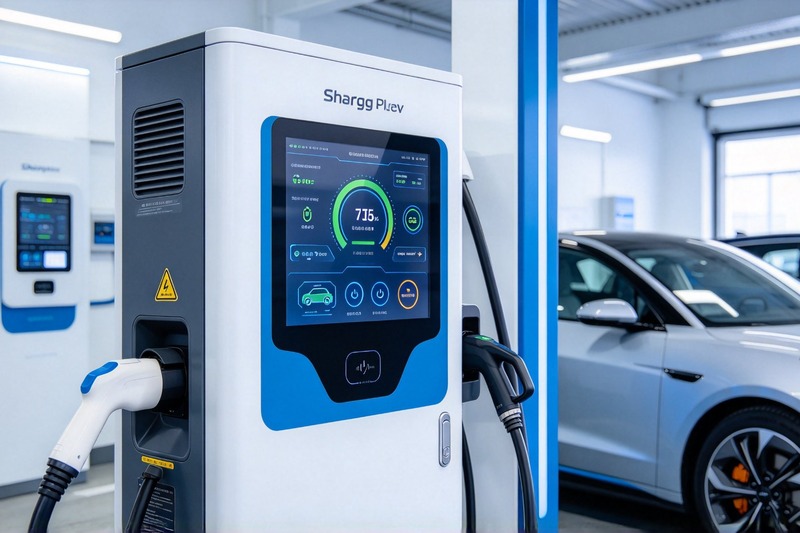
EV charging station display interface for energy systems

EV Charging & Energy

Display solutions for EV charging equipment, energy storage systems and other energy applications requiring status visualization, user interaction and control interfaces.

Explore Energy Display Solutions

EV Charging & Energy

Display solutions for EV charging equipment, energy storage systems and other energy applications requiring status visualization, user interaction and control interfaces.

Explore Energy Display Solutions
Outdoor digital signage and smart city display solution

Smart City & Building Control

Display and touch interfaces for smart-building control systems, outdoor digital signage and public information terminals.

Explore Smart Display Solutions
Smart City & Building Control

Display and touch interfaces for smart-building control systems, outdoor digital signage and public information terminals.

Explore Smart Display Solutions
Outdoor and commercial terminal touchscreen display solution at transportation hub

Retail & Commercial Terminals

Touch display solutions for retail and commercial terminals, self-service equipment and transportation hubs.

Explore Touch Panel Monitor Solutions

Retail & Commercial Terminals

Touch display solutions for retail and commercial terminals, self-service equipment and transportation hubs.

Explore Touch Panel Monitor Solutions

From Technology to Product

Develop the Display as Part of the Complete Product

The final user experience depends on how the display, touch system, electronics, optical integration, software and mechanical design work together within the product.

UNI DISPLAY combines display product development, embedded system design, touch integration, optical bonding, mechanical engineering and reliability validation to support custom display projects from technical definition through production.

Whether your project begins with a product concept, an existing mainboard, a mechanical drawing, or a display that requires redesign, our engineering team can evaluate the complete system and define the appropriate development path.

Engineering Workflow

Requirement Review→ Technical Configuration→ Sample Development→ Validation→ Production
Production line HMI terminal developed through the UNI DISPLAY engineering workflow

FAQ

Questions About Display Technology

Common questions from engineering and procurement teams about custom display development.

What does custom display development include?

Custom display development can include display selection, touch integration, cover lens, optical bonding, controller electronics, interfaces, PCB/PCBA, firmware, cables, mechanical structures and reliability validation. The exact development scope depends on the customer’s product and system requirements.

Can UNI DISPLAY support more than the LCD module?

Yes. UNI DISPLAY’s capabilities extend from TFT, OLED and LCM products to touch integration, controller and interface boards, bonding, PCB/PCBA, software adaptation and mechanical development.

Can UNI DISPLAY adapt a display to our existing host controller?

The customer’s mainboard, controller, display interface and communication architecture can be evaluated during development. Controller electronics, interfaces, cables and software can then be configured or developed based on confirmed system requirements.

Do you support embedded display electronics development?

Yes. UNI DISPLAY supports hardware development including schematic design, PCB layout, Gerber file generation, PCBA assembly, controller board development and communication interface adaptation.

Do you provide touch display integration?

Yes. Touch panels can be developed together with the display, cover lens, bonding method, controller and final product design based on application requirements.

What is the difference between frame bonding and optical bonding?

Air bonding connects the display and touch structure around the perimeter, while optical bonding fills the gap between the display and the touch panel or cover lens with an optically clear adhesive. The appropriate method depends on the display structure, application requirements and overall product design.

Can UNI DISPLAY customize the mechanical structure?

Yes. Mechanical development can include custom structures, housing, mounting methods, membrane keypads, protective surface structures, 2D mechanical drawings and 3D structural modeling.

What reliability tests can be included?

Depending on project requirements, validation may include impact testing, dust and water protection evaluation, EMI, EMC, ESD, display functionality, touch functionality, mechanical verification and system-level testing.

Does every display project use the same compliance standard?

No. Applicable standards depend on the final product, intended application and target market. Required standards and acceptance criteria should be identified during project development so that the corresponding design and testing requirements can be incorporated into the engineering process.

Can you support low-volume or custom development projects?

Yes. UNI DISPLAY supports flexible customization as well as low-volume, high-mix production requirements.

Contact UNI DISPLAY

From Display Technology to Product Integration

Designing the interface between your product and its users. Discuss your display development project with the UNI DISPLAY engineering team.